 Nico Brailovsky's thought repository
Posts for 2026 February
Weekend project: Raspberry Pi CRT
Post by Nico Brailovsky @ 2026-02-22 | Permalink | Leave a comment
In what may be the most useless project I've done in a long time, I spent the weekend making an old CRT work with my Raspberry Pi.
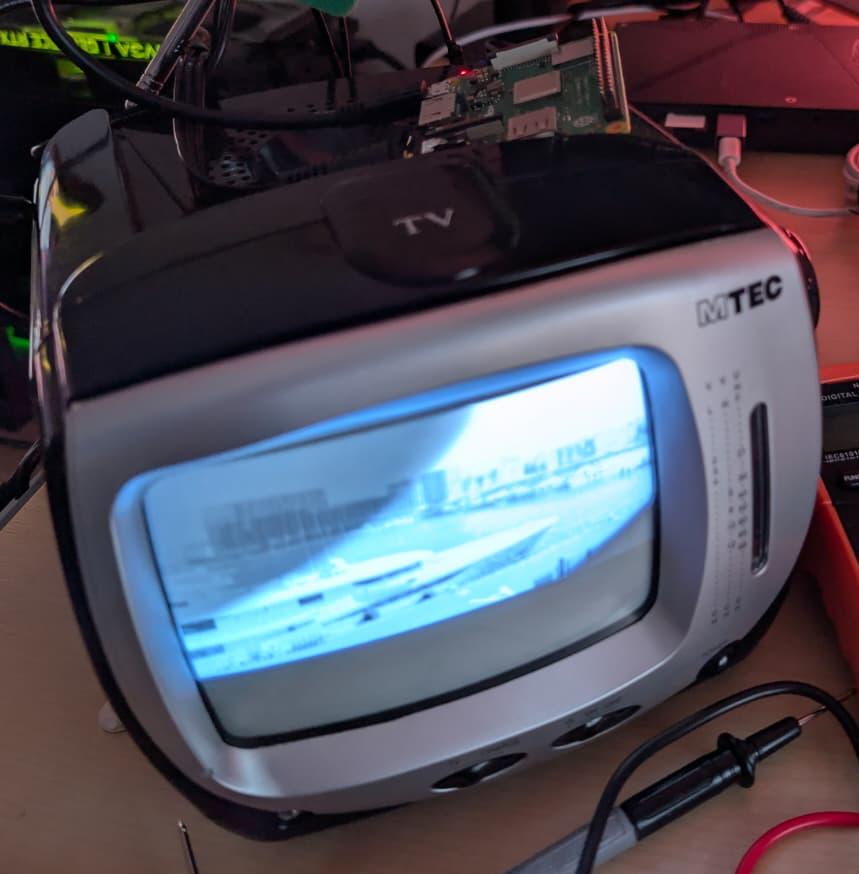
I don't think there will be much use for this project. Ignoring that this is a CRT (720x576 black-and-white), the TV I picked up is pretty noisy. I don't miss the high pitched whine of a CRT (mine is 11 KHz, if you're wondering). Still it was fun to make this work, and I did learn a few things:
- The Raspberry Pi has an SDTV composite/RCA video output. It's shared with the audio output jack. The audio out supports pins with 4 connectors (TRRS connector), and you can get video in one of them.
- There are, of course, multiple standards for TRRS. A Pi uses TRRS CTIA, in which each connector of the pin is (tip to cable) left audio, right audio, video and ground. Unfortunately, many vendors don't specify which standard you're getting. If you get the wrong one, it's not complicated to rejig the cable to be CTIA, just a few snips and some soldering.
- A lot of articles online will tell you that adding
sdtv_modeto /boot/firmware/config.txt is enough to enable video out. I found that's not the case, you'll need to specify alsosdtv_aspect,enable_tvoutanddtoverlay=vc4-fkms-v3d(this last one enables firmware control of video out. I didn't dig into why this is needed, and KMS doesn't work). - You will also need to pin the core frequency. Frequency scaling will affect video rendering.
I put all these setup steps in a convenient script, available as part of the app I'm using to show pictures. Now I need to think what I can do with this ridiculously large piece of ancient tech, which has less resolution than my watch.
Weekend project: Tripmon
Post by Nico Brailovsky @ 2026-02-08 | Permalink | Leave a comment
Tripmon is a way to visualize my trips (and daytrips).
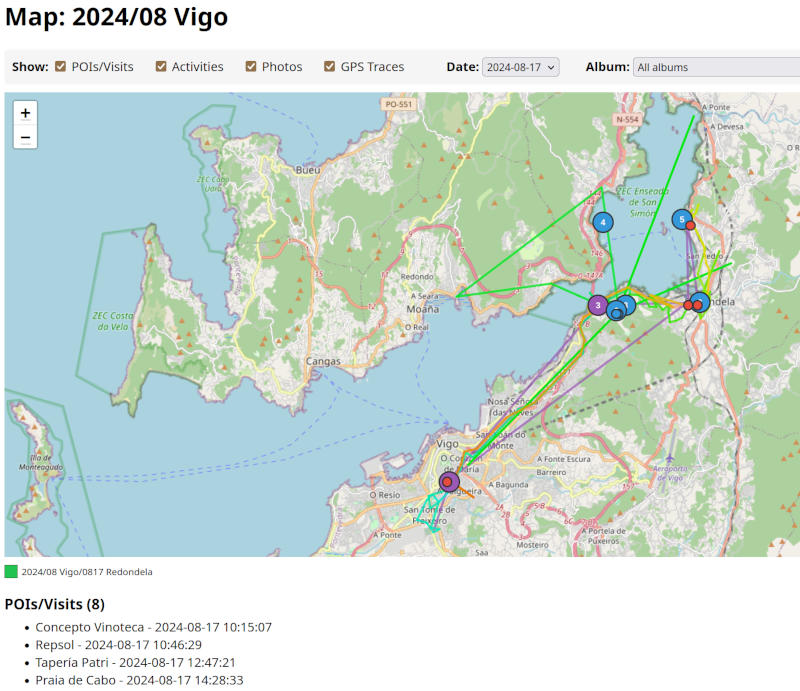
I have (had?) a lot of data in gmaps and no good way to visualize, or merge, with my extensive album collection. So I built a small service to categorize pictures and merge them with map traces. The service will also try to score the "best" pictures, for whatever definition of "best" a few ML models choose, and display just a few highlights for each part of the trip.
This project falls, for the most part, in type 3 of my AI categorizaion: largely vibe-coded, and if it breaks I wouldn't know why. This is in contrast with other weekend projects; I also spent some time adding voice control to my home automation system. I "care" about the code in my home automation system, but I don't care much about the code of my Tripmon project. Adding new features to my home automation system takes 10x the time it takes to add new features to Tripmon, as I go through a very through review and refactor process. In my home automation service, when things break I know exactly why and how (it's fairly important for me to be able to turn my lights on or off). In Tripmon, if something doesn't work I just ask AI to iterate, until it more or less does what I want.
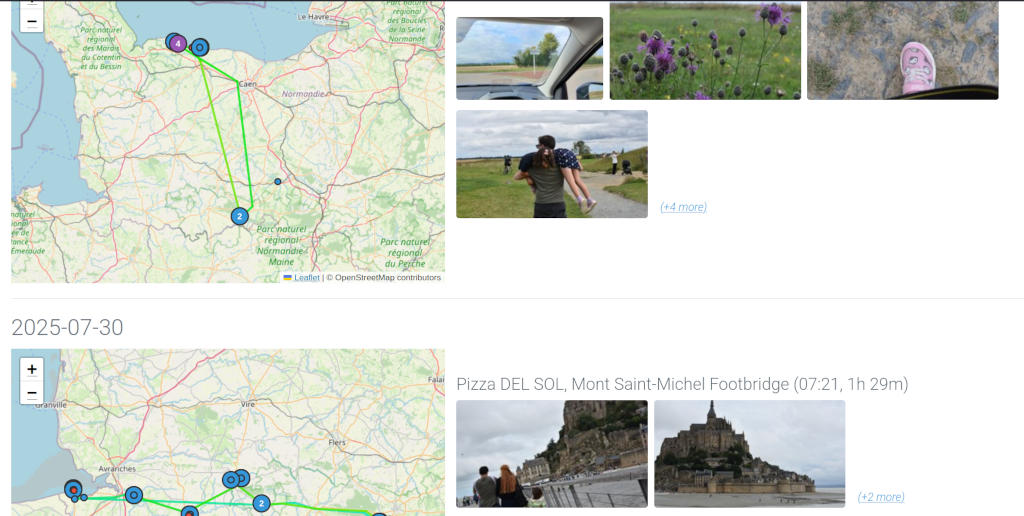
From the readme, Tripmon will:
- Scan a directory for photo albums, and derive day-trips from album names.
- Group day-trips into trips, then generate a "report" for each trip.
- Merge each trip with GPS traces from G Maps.
- Run an analysis on your albums, and select the best N pictures (for whatever definition of "best" the model that looks at pictures may have)
With this information, Tripmon will generate a report for each trip and day-trip. The report will include
- A map overlay with the visited locations and the transport between each
- A list of places visited, and the time spent in each place
- A list of pictures to go with each place
Weekend project: (Mini) audio science talk
Post by Nico Brailovsky @ 2026-02-03 | Permalink | Leave a comment
Another project to file under "brilliant ideas": I spent the weekend (and a bit more, really) working on a set of experiments to teach how audio works, for children.
While publishing my set of JS audio demos a few weeks back (wonder if I need to credit AI, too), I figured I should try to widen my audience beyond other software engineers. The material consists of simplified explanations of how audio transmission works, and how computers work with audio. Finding a balance between oversimplifying things and staying topic-relevant for children has been a challenge, but I'm quite happy with the final results. There are also plenty of experiments that, hopefully, will keep the session engaging.
While I doubt many 8 year olds are reading these notes, I'll be getting some feedback on this sessions soon. Wish me luck!